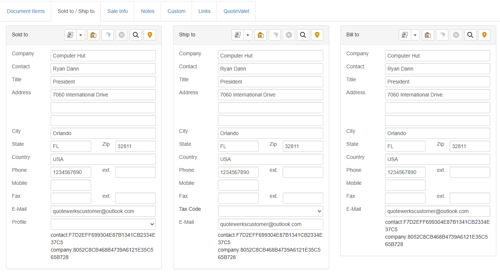
See below for an interactive demo reviewing how to add a contact to a quote:
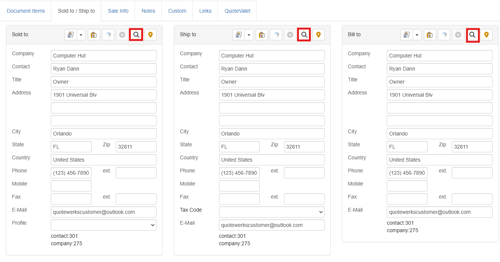
Contacts are added to a quote by navigating to the Lookup Contact window. This can be done by clicking on the Contacts dropdown menu, the contact icon on the left navigation panel, or by clicking on the magnifying glass on the Sold to/Ship to tab.
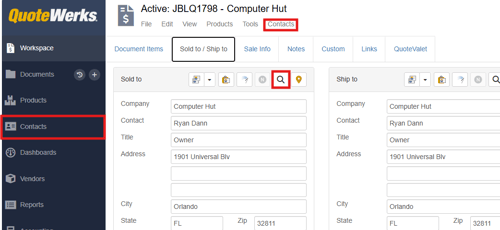
Sold to/Ship to tab:
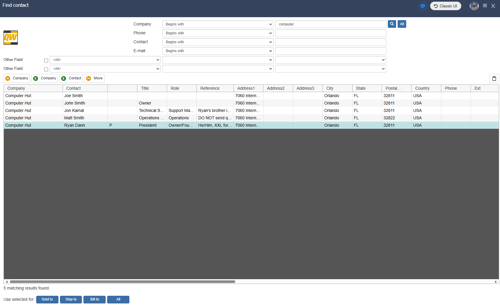
Navigating to any of the three areas noted above will open the Lookup Contact Window:
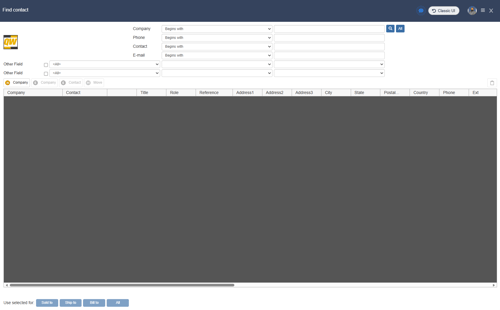
NOTE: While the image above shows the QuoteWerks Native Contact Database, if you have a CRM, PSA, or Accounting integration configured it is also possible to pull contacts directly from these systems.
To search for a contact input your search criteria into any of the available search fields and click the magnifying glass  icon. Alternatively, you can select All to show all contacts in the selected database.

Once you have located the contact you would like to add to the quote select them and click on Sold to to add them to Sold To, Ship to to add them to Ship To, Bill to to add them to Bill To, or All to add them to all three fields at once.
As seen in the image below, having clicked All, the contact has been added to all three fields: