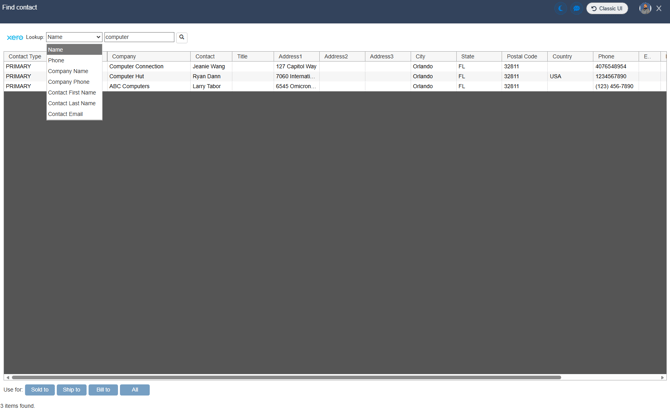
Part of the Xero integration with QuoteWerks includes the ability to pull in company/contact information into QuoteWerks quotes from your Xero Contacts list. This allows you to store your company and contact information in Xero and query those companies and contacts to be added as Sold to, Ship to, and/or Bill to contacts on QuoteWerks Quotes.
To add Xero as a company/contact datasource, please follow the instructions outlined below.
1. Navigate to Setup -> Options -> CRM Integrations.
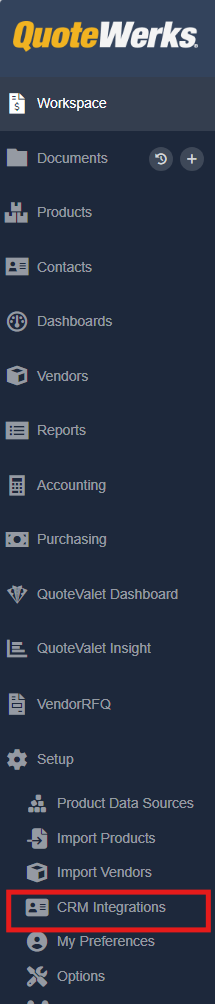
2. On the CRM Integrations page set the "Select Primary CRM Integration" dropdown to Xero.
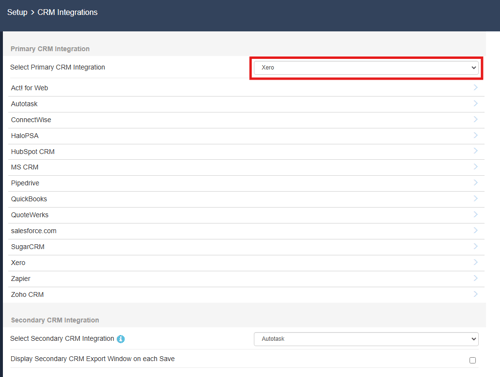
3. Click on Xero from the list of available CRMs.
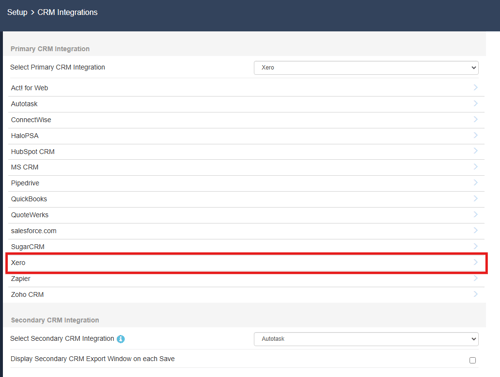
4. Click on Integration Settings.

5. Click into the Contact Manager tab and review the settings here. When you are done, click OK.
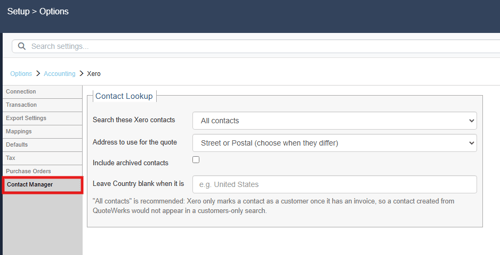
Contact Lookup
Search these Xero contacts
Here you can choose which contacts will be searched when you open the Lookup Contact window. This can be set to All contacts, Customers only, or Suppliers only.
Address to use for the quote
Here you can choose which address to use for the quote. This can be set to Street or Postal (choose when they differ), Street address, or Postal address.
Include archived contacts
Checking this option will include archived contacts in your search results.
Leave Country blank when it is
Inserting a value here will search against that value and if the value exists the Country field will be left blank.
Searching for Companies and Contacts
With Xero configured as your CRM, the Find contact window will now list as Xero and any searches will query your companies and contacts from Xero.
To find a company or contact select the value you would like to search for, enter your search criteria and click on the magnifying glass. All matches will be listed. From here you can select the company/contact and use the "Use for" buttons to add your contact to the Sold to, Ship to, Bill to, or All fields.