
The first step in enabling the Zapier integration in QuoteWerks is to create an App Connection to QuoteWerks from within Zapier. To do so follow the steps outlined below.
1. Log in to your Zapier account.
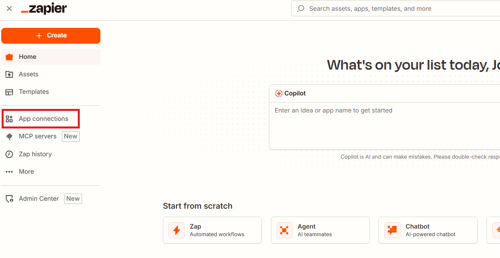
2. Click on App Connections.
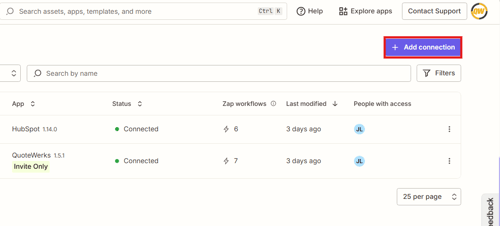
3. Click on Add Connection.
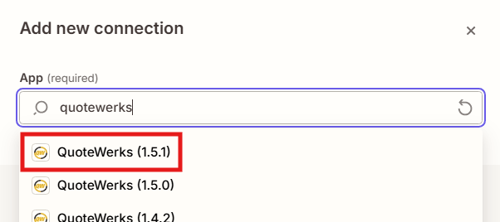
4. Search for "QuoteWerks" and select the most recent build number and click on Add Connection.
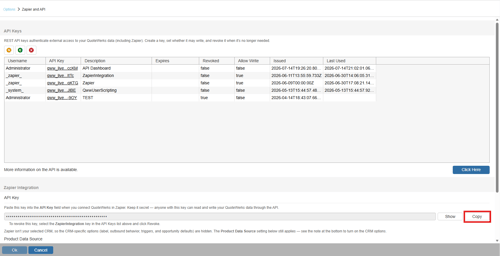
5. Within QuoteWerks navigate to Setup -> Options -> Zapier and API.
6. Scroll down to the Zapier integration section and click on the Copy button to copy the API key from QuoteWerks to your clipboard.
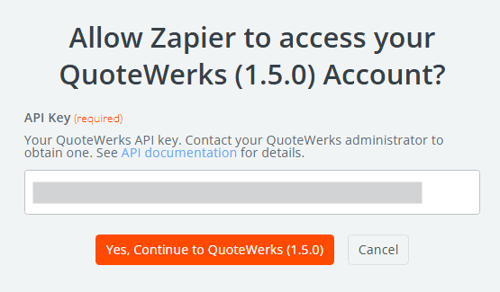
7. Navigate back to the Zapier window and paste the API key into the API key textbox. Click on Yes, Continue to QuoteWerks (x.x.x).
8. Navigate back to your App Connections in Zapier and you will see the new connection listed.

You are now connected to the QuoteWerks app in Zapier and can begin building Zaps with the new connection.