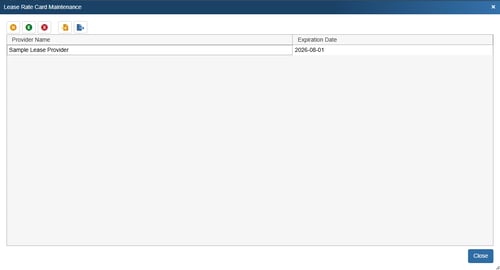
Lease rate cards can be added to QuoteWerks through the Lease Rate Card Maintenance page. This page can be accessed by navigating to Setup -> Options -> Lease Rate Card Maintenance.
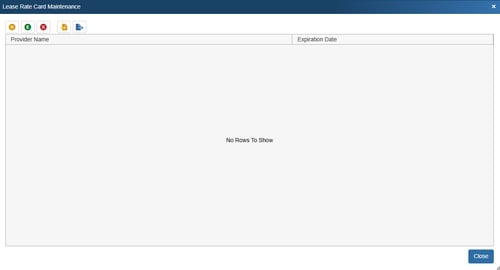
Here you can use the interface to build your lease rate cards or import them via an XML file. These rate cards include all the information associated with the leasing options provided by you leasing company including purchase options, terms, advanced payments, points, and factors.
Note that there are two file buttons at the top of the window that allow you import  or export
  rate cards in XML format. To import your rate card please use the XML rate card template.
Creating a New Rate Card
1. Click on the orange New button and enter the provider name and Expiration.
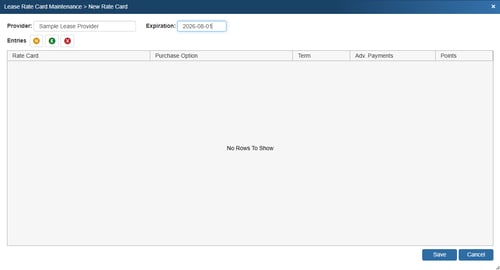
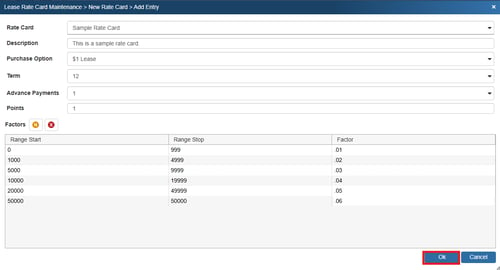
2. Click on the orange New button to create a new rate card. Input the Rate Card name, Description, choose a Purchase Option, Term, Advance Payments, and Points.
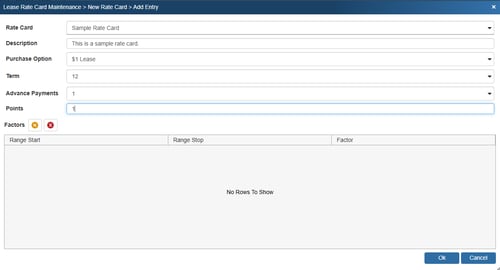
3. Click on the orange New button to create factors. Enter the starting range value and click OK. Repeat this process until all ranges have been input.
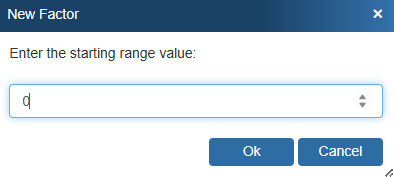

4. Input the factors next to the ranges you have created.

5. Click OK to save your new rate card.
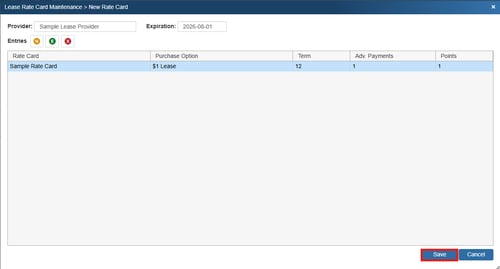
6. The new rate card will now be listed on the New Rate Card window. Click Save to save the new provider and rate card.
7. The new provider will now be listed on the Lease Rate Card Maintenance Window and will be selectable to include as a payment option to your customers.