
When working with QuoteWerks technical support, there are times where the support technician may request you to generate a support access link. This link is used to gain access to your environment to perform troubleshooting and to expedite the resolution of your issue. This article reviews how to generate a support access link.
IMPORTANT: Do not share this link with anyone besides a QuoteWerks Technical Support representative.
1. Log into QuoteWerks.
2. Click on the picture icon at the top right of the window.
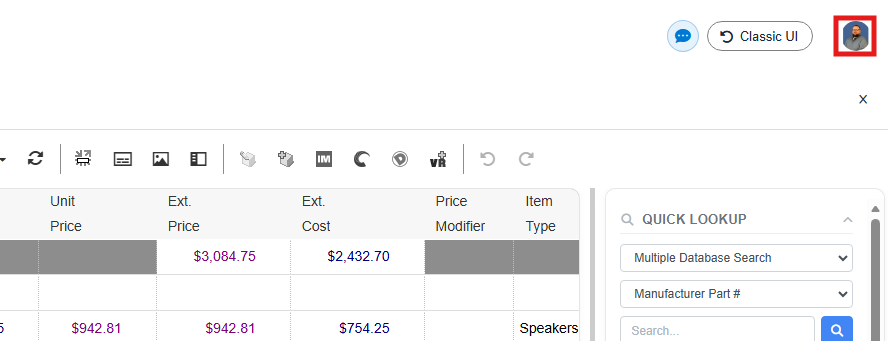
3. Click on Generate Support Access Link.
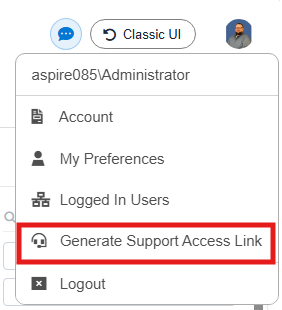
4. This opens the Generate Support Access Link Window. Click on Generate and the support access link will be copied to your clipboard.
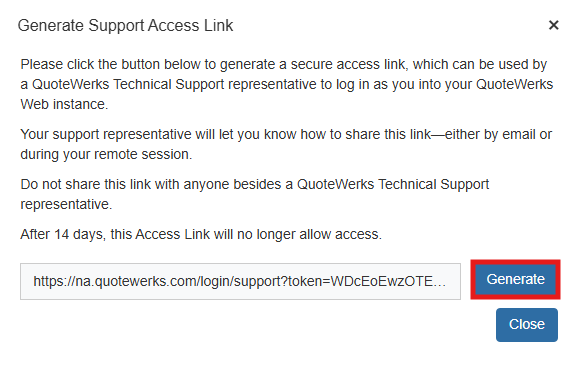
5. Paste the link into your ticket, email, or during a remote session. This link will be valid for 14 days.