
Overview
The Jenne Real-time Pricing & Availability is only available in the USA. Before you can setup and use the Jenne Real-Time Pricing & Availability features, you need to contact your dedicated Jenne sales rep to obtain XML credentials.
You can contact your Jenne representative at 1-800-422-6191.
Setup
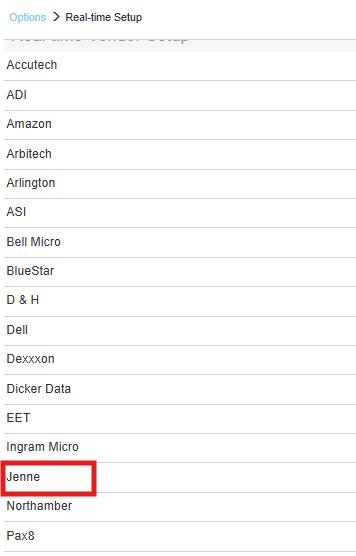
1. To setup Jenne Real-time pricing and availability navigate to Setup > Options > Real-time and select Jenne.
2. Input your Email Address, Password, TimeOut and Website information and click [OK].
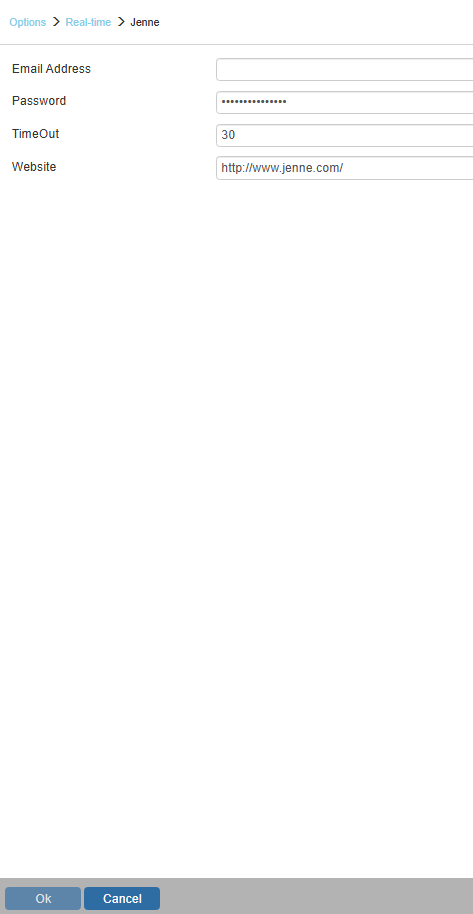
Email Address
Enter your email address you use to access Jenne.
Password
Add your password.
TIP: If a Jenne web service activated user is having issues authenticating with Jenne web-services through QuoteWerks real-time integration, the user can try the following:
-
Log into www.jenne.com with their Jenne ID (email) which is also being used for the real-time integration.
-
Go to the YOUR ACCOUNT page and reset their real-time access by clicking on the “Change Web Service Password” button. *NOTE* Their login PW and web service PW can be different even though they both use the same username
-
Re-enter the new credentials into QuoteWerks real-time screen and