
Overview
Before you can setup and use the Northamber Real-time Pricing & Availability features, you will need to obtain your credentials from Northamber.
Setup
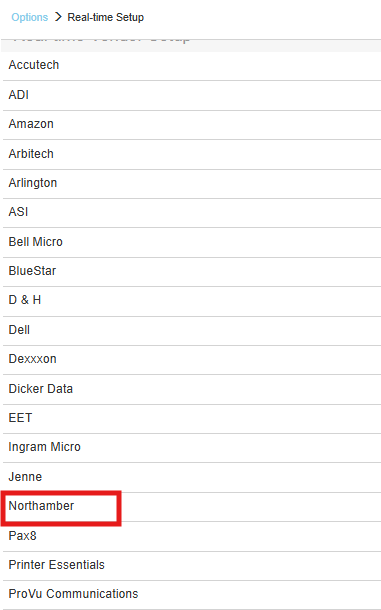
1. To setup Northamber Real-time pricing and availability navigate to Setup > Options > Real-time and select Northamber.
2. Input your User Name, Password, TimeOut and Website information and click [OK].
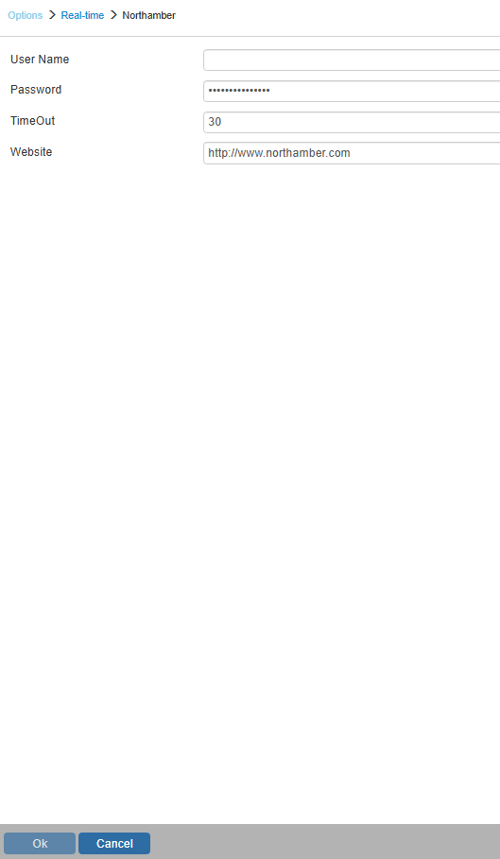
Real-time Username and Password
Make sure to enter your username and password.
NOTE: The User Name and Password are the same as the User Name and Password you use to log into the Dealer Area of the Northamber website to search for product and pricing information.