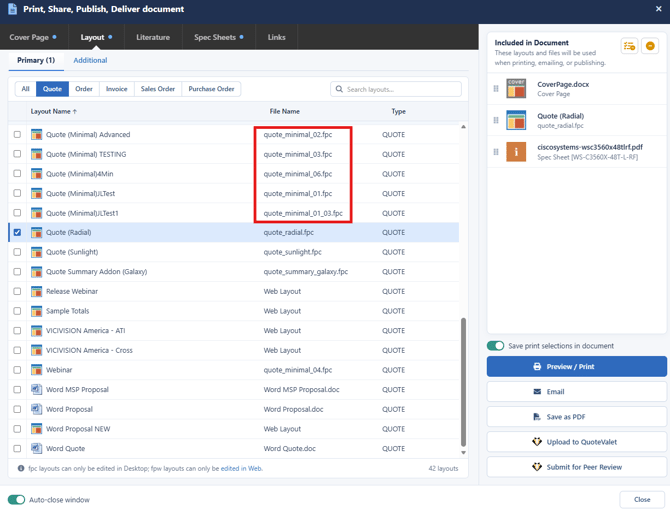
As you make changes to FPC layouts in QuoteWerks Desktop, the changes will automatically sync to QuoteWerks Web. However, if you add new FPC layouts to your layouts folder in QuoteWerks Desktop you will need to do a manual sync for these layouts to appear in Web. The following steps outline how to perform a manual sync of all literature from QuoteWerks Desktop to QuoteWerks Web.
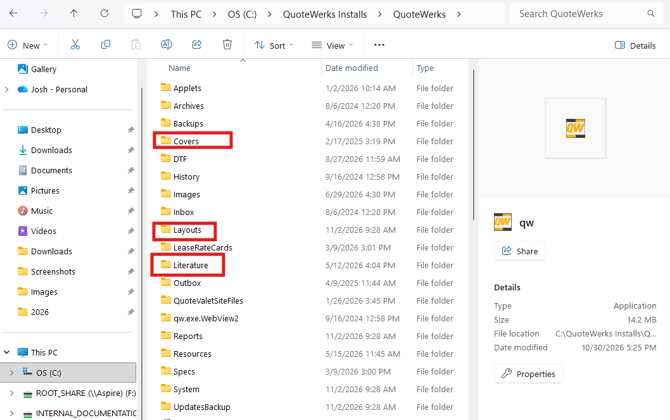
1. Add the layouts, literature, or cover pages you would like to sync to the appropriate folder in the QuoteWerks directory in QuoteWerks Desktop.
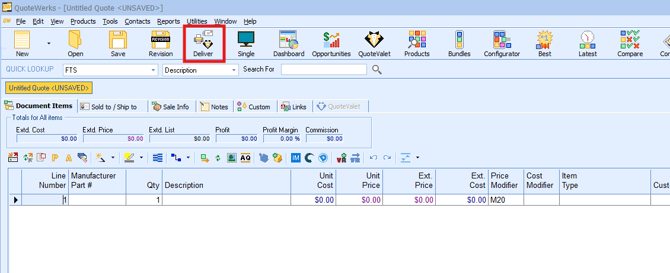
2. Open QuoteWerks Desktop and navigate to the deliver window by clicking on Deliver from the standard toolbar.
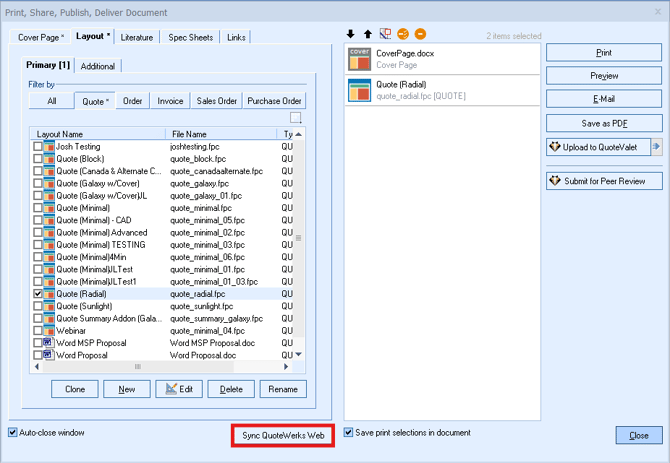
3. On the Print, Share Publish Deliver Document window there is a button in the bottom center of the page labeled Sync QuoteWerks Web. Click on this button.
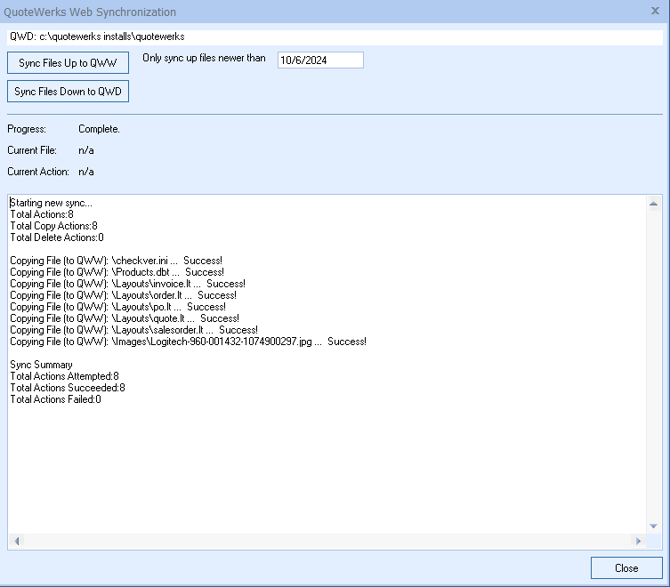
4. The QuoteWerks Web Synchronization window will appear. On this window click on Sync Files Up to QWW.

5. The sync will begin to process and will synchronize your literature files, including FPC layouts from QuoteWerks Desktop to QuoteWerks Web. As the sync processes, the window will display what files are being synced and will indicate how may files were synced to QuoteWerks Web as seen below.
6. The FPC layouts and other literature that has been synced will now be available in the Print, Share, Publish Deliver Document window in QuoteWerks Web as seen below.