
The QuoteWerks Web REST API allows you to read and write data from the QuoteWerks database. This data can be used by external systems to report on information from or to update information in the QuoteWerks database. These external systems can be applications, reporting tools, and custom integrations. The API exposes Documents, Products, Purchase Orders, Contacts, and more. This is useful if you would like to perform actions outside of the QuoteWerks system based on data from the QuoteWerks Database.
The QuoteWerks Web REST API is accessed by navigating to https://qwwapi.quotewerks.com/.
This page includes interactive API documentation with request/response examples, authentication details, and the ability to test endpoints directly in your browser. You can use either the JSON:API specification or OData v4 to access data. OData v4 support enables direct connectivity with business intelligence tools like Power BI, Tableau, and Looker, with full support for filtering, sorting, pagination, field selection, and expanding related entities.
Three authentication methods are supported: OAuth 2.0 Bearer Tokens, HTTP Basic Authentication, and API Keys for automated integrations.
API Keys can be created and revoked at any time under Setup -> Options -> Zapier and API.
By clicking on Zapier and API you can create, edit, or delete API keys to be used for a variety of purposes including integration with Zapier.
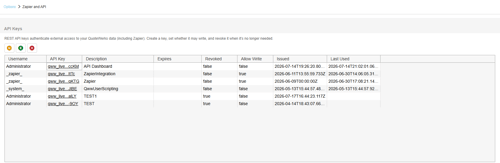
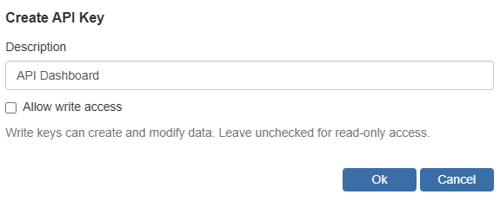
To create a new API key simply click on the New  button. You will be prompted to input a description and when you click OK the new API key will be generated and will appear in your list of API keys. Simply click on the API key in the list and it will be copied to your clipboard.
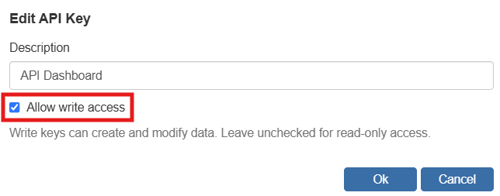
You can enable the ability to write to the QuoteWerks database by selecting Allow write access on the Edit API Key window.
For more information visit: https://qwwapi.quotewerks.com/docs
API Example
With the QuoteWerks rest API you can read and write data to and from the QuoteWerks database enabling you to do a number of things that can help streamline your business processes or gain additional insights into your QuoteWerks data. One example of this would be to create a bespoke dashboard with information coming from QuoteWerks. This dashboard can provide insights on total number of quotes and orders, profitability, top performing line items and much more. QuoteWerks has created an example dashboard along with the calls you can make that enable this dashboard to work. This demo dashboard can be populated with your real data from your QuoteWerks instance so you can familiarize yourself with how things work.
To access the demo dashboard, navigate to QuoteWerks REST API — Demo Dashboard.
Create and copy your API key for the dashboard by navigating to Setup -> Options -> Zapier and API.
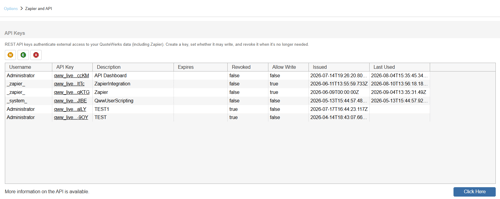
Click on the  New button to generate a new API key and type a description for the new API Key, something like API Dashboard.
The API Key will be generated and stored in the list of your API keys. To copy the API key simply click on the cell for that key in the API Key column as seen below.

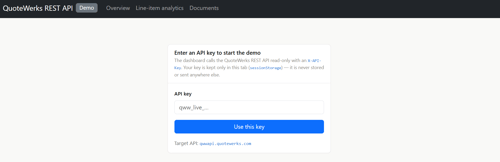
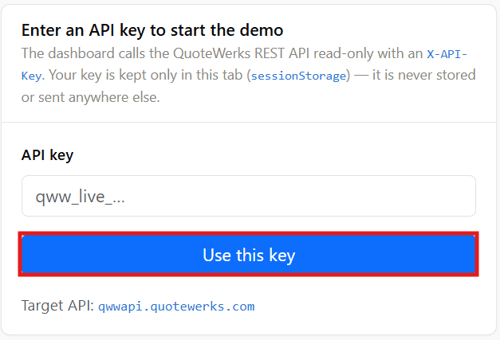
With the API key copied navigate to https://qwwapi.quotewerks.com/demo/#/overview and paste your API key into the API Key field. Click on Use This Key.
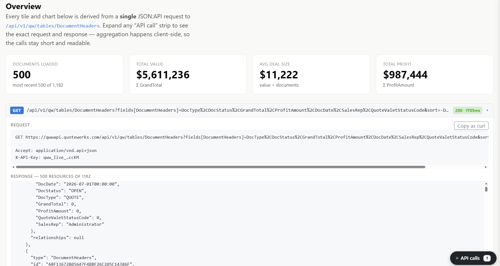
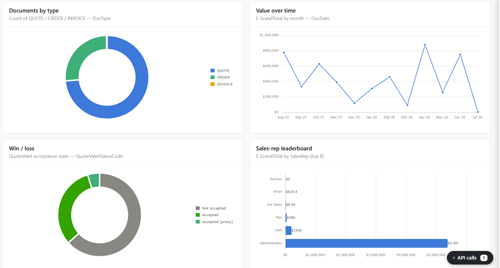
This will bring you to the Overview page where you can view information on you latest 500 documents including the total value, average deal size, and total profit along with the request and response data from the QuoteWerks database and charts that allow you to further analyze this data.
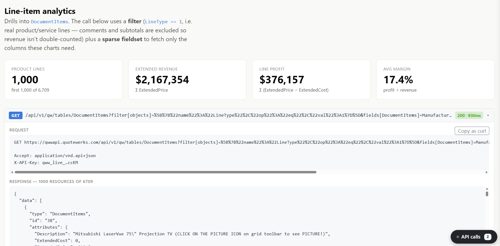
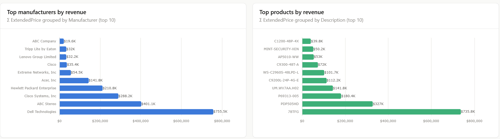
If you click on Line-item analysis at the top of the page you will be brought to a page that provides additional information on the line items from your first 1,000 product lines including extended revenue, line profit, average margin, the request and response data, and charts that further break down the data being retrieved from the QuoteWerks database.
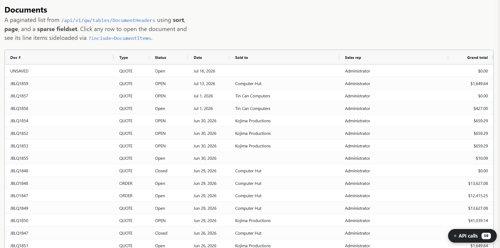
If you click on Documents at the top of the page you can further analyze additional information associated with documents from the QuoteWerks system. This page lists your QuoteWerks documents including the Doc #, Type, Status, Date, Sold to, Sales Rep, and document Grand Total.
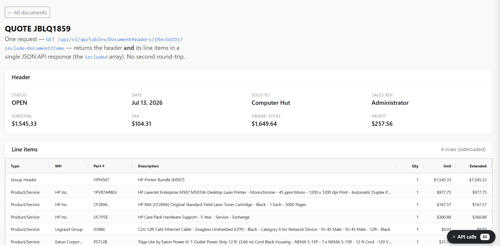
If you click on any specific document, it will open another page that shows you specific information about the document including the Subtotal, Tax, Profit, and line-item information. Like with other pages on this demo dashboard you can see the request and response information to familiarize yourself with how this information is being pulled from the QuoteWerks system.
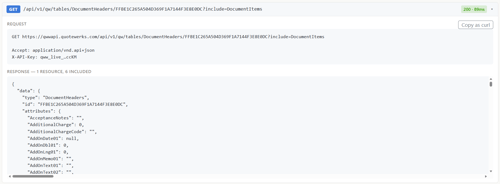
This demo dashboard is just one example of how you can pull information from the QuoteWerks system and present it in a way that is consumable for your users. Data can also be written to the QuoteWerks system using the API and its extensibility is truly endless. For additional information on the API along with how to authenticate and use the API, please see QuoteWerks Web REST Api [BETA] - Swagger UI.