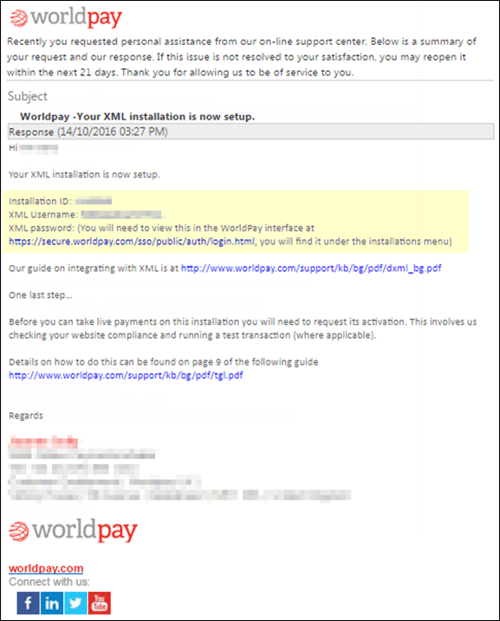
This topic covers how to set up QuoteValet payment processing to work with Worldpay. To setup the integration, you will need 3 required pieces of information.
Navigate to Setup -> Options -> QuoteValet -> Payment Processing and click on the new  button to configure a new gateway. The window pictured below will open. Select WorldPay from the Gateway dropdown menu.
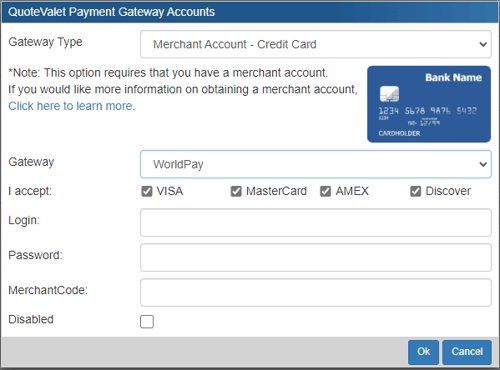
1. The Login, Password, and MerchantCode can all be found in your Worldpay XML welcome letter. Enter in the Login, Password, and MerchantCode from those fields into QuoteWerks.
2. Be sure you know the specific WorldPay you are using (there are 3 variations). These different variations will have different setup requirements. The main things to make sure you have are your MerchantCode and Installation ID. That way, whichever of the three WorldPays you have, you'll be sure to have the information for any of them.