
Navigate to Setup -> Options ->Customer Price Level Assignment Maintenance to modify the Profile that will be associated with each price level.
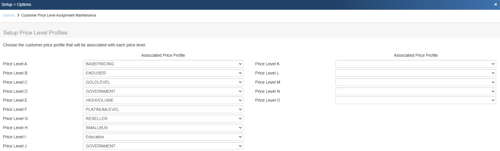
This window lets you assign customer price profiles to each price level. To remove an assigned customer price profile from a price level, click on the drop-down list and choose the blank entry.
Customer price profiles are maintained using the Setup -> Options -> Customer Profile Maintenance. You will need to setup the customer price profiles first, and then setup the price level profiles.
Additional Related Resources: